Create Admin
The app includes a minimal blog content management system that is accessible to users with the "Admin" role. You can navigate to this area by going to /admin or by clicking the red admin button in the user navigation dropdown.
However, if you do not have the "Admin" role, this button will not be visible.
There is no in-app method to assign the 'Admin' role to a user. (This is done for security reasons). To add the admin role, you need to manually update the database.
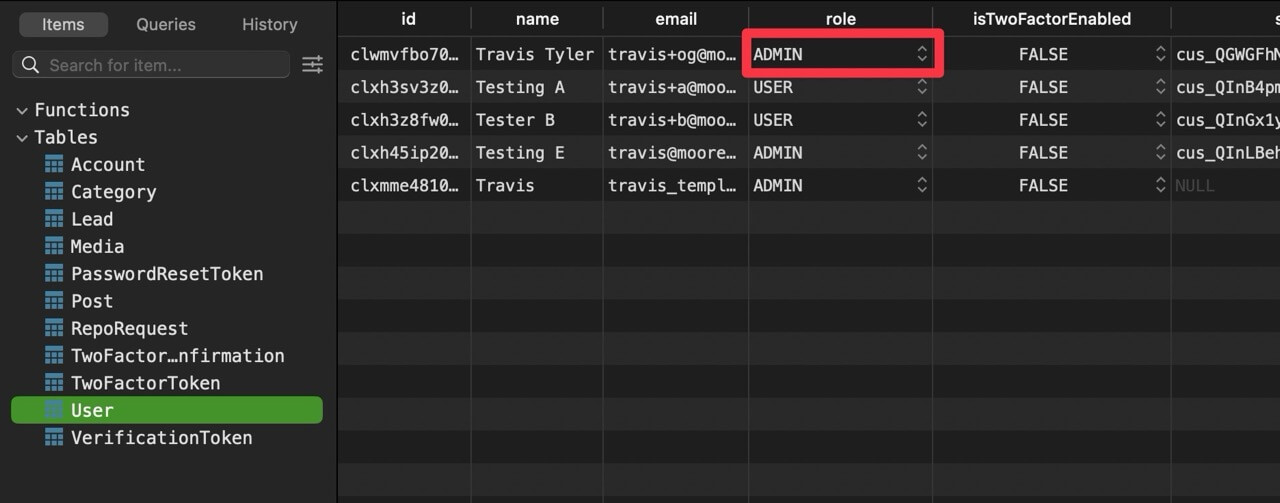
How to add the Admin role
- Access your database.
- Locate the user you want to promote to Admin.
- Change the role setting for that user to "Admin".
Once you have made these changes, the user will be able to access the /admin route and see the admin button in the top right of the user navigation dropdown.